

Great Mobile UX Removes Thinking, Not Features
How Mobile UI Design Improves Usability and Adoption
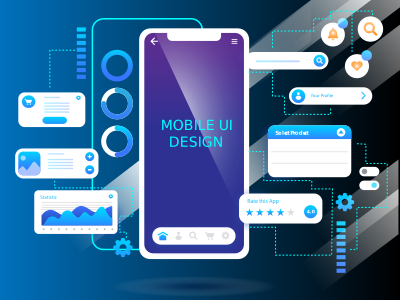
Effective mobile UI design aligns layouts, gestures, and navigation with real user behavior—reducing cognitive load and making interactions feel natural, fast, and intuitive.
Usability Questions CTOs Ask About Mobile UI:
Does good mobile UI improve usability?
Yes. Well-designed mobile UI simplifies navigation, clarifies actions, and reduces errors—making it easier for users to accomplish tasks without learning curves or frustration.
How does mobile UI reduce user friction?
Mobile UI removes friction by optimizing touch targets, spacing, and flows—ensuring users don’t struggle with small buttons, hidden actions, or unclear pathways.
Can better UI lower app abandonment?
Absolutely. Users abandon apps quickly when interfaces feel confusing or slow. Clear, intuitive UI increases confidence and keeps users engaged.
Why do users churn due to poor mobile UI?
Because poor UI creates frustration, uncertainty, and wasted effort—leading users to uninstall or switch to competitors with smoother experiences.
Speed Is Felt Before It’s Measured
Why Mobile UI Design Directly Impacts Performance Perception
Mobile UI design influences how fast an app feels by managing visual complexity, transitions, and feedback—often determining perceived performance more than raw backend speed.
Performance Questions CTOs Ask About Mobile UI:
Does mobile UI affect app performance?
Yes. UI complexity, animations, and layout decisions affect rendering and responsiveness—impacting both actual and perceived performance.
How does UI design impact load time?
Optimized UI reduces heavy assets, unnecessary animations, and layout shifts—leading to faster initial loads and smoother interactions.
Can UI decisions improve perceived speed?
Yes. Immediate feedback, skeleton screens, and progressive loading make apps feel faster even when data loads in the background.
Why does poor UI feel “slow” to users?
Because delayed feedback, cluttered layouts, and jarring transitions create the perception of lag—even when backend performance is acceptable.
UI Decisions Either Scale with the Product or Fight It
How Mobile UI Design Supports Scalable Product Architecture
Mobile UI design influences how easily products evolve. A scalable UI architecture reduces rework, supports new features, and integrates cleanly with design systems and modern product architectures.
Architecture Questions CTOs Ask About Mobile UI:
Can mobile UI scale with new features?
Yes. Scalable mobile UI is built with reusable components and flexible layouts, allowing teams to introduce new features without redesigning existing screens or breaking user flows.
How does UI design reduce rework?
Good UI design anticipates growth by defining patterns, states, and behaviors upfront—reducing repeated redesign cycles and minimizing costly UI refactors as features expand.
Is mobile UI compatible with design systems?
Absolutely. Mobile UI is most effective when aligned with a design system, ensuring consistency, faster iteration, and shared components across platforms and teams.
How does UI fit into product architecture?
Mobile UI sits at the interaction layer, translating backend capabilities into usable experiences. Well-structured UI aligns closely with product logic and service architecture.
Inclusive Design Isn’t Optional on Mobile
Why Accessibility and Consistency Matter in Mobile UI Design
Accessible and consistent mobile UI ensures all users—across abilities, devices, and platforms—can interact confidently, improving adoption, usability, and compliance without sacrificing design quality.
Accessibility Questions CTOs Ask About Mobile UI:
Can mobile UI be accessible by design?
Yes. Accessibility can be built in from the start using proper contrast, readable typography, scalable text, and clear interaction patterns—rather than being retrofitted later.
How does UI support diverse users?
Thoughtful UI accounts for different screen sizes, motor abilities, visual needs, and contexts—ensuring usability across age groups, abilities, and environments.
Why is consistency across platforms important?
Consistency reduces cognitive load. When mobile UI behaves predictably across iOS, Android, and web, users learn faster and trust the product more.
Does accessibility affect adoption?
Yes. Accessible UI expands reach, reduces friction, and improves satisfaction—directly impacting adoption, retention, and brand perception.
UI Is a Revenue Lever, Not a Visual Layer
How Mobile UI Design Drives Long-Term Business Value
Mobile UI design influences conversion, retention, and lifetime value. Well-designed interfaces compound value over time by reducing churn, supporting growth, and lowering future redesign costs.
Business Value Questions CTOs Ask About Mobile UI:
Does mobile UI design improve conversions?
Yes. Clear visual hierarchy, intuitive flows, and strong feedback mechanisms make it easier for users to complete actions—directly improving conversion rates.
How does UI affect retention and revenue?
A smooth, predictable UI increases satisfaction and repeat usage, which drives retention, engagement, and long-term revenue growth.
Is mobile UI a long-term investment?
Absolutely. A well-designed UI foundation reduces future redesign needs and adapts as the product grows—delivering value well beyond initial launch.
Why do high-growth apps invest in UI early?
Because early UI decisions compound. Investing early prevents UX debt, supports rapid scaling, and protects product velocity as user bases grow.